rpzzz Casino Mobile App
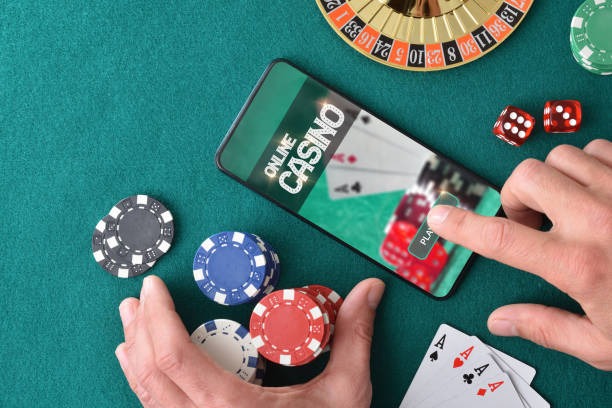
Mobile-first access to rpzzz football betting, live-dealer tables, and slots has become standard across Southeast Asia, with millions of users preferring app-based or browser-based wagering over desktop. We at rpzzz provide multiple installation paths — Android APK download, iOS browser access, and responsive web app — so you can access Liga 1, Piala AFF, Champions League markets, blackjack, roulette, Aviator, and esports from any device. Each path offers the same account balance, payment integration with DANA, e-wallet, mobile banking, local payment, online payment, e-wallet, and bank virtual accounts, and full KYC verification.
- Update
- DownloadAPK
- Installin
- LoginOTP Verification
Our rpzzz mobile experience prioritizes speed, security, and offline functionality. Whether you install the Android APK on your phone, access rpzzz via iOS Safari, or use our responsive web app on tablet or desktop, your account, balance, and transaction history remain synchronized. Push notifications alert you to live-score updates, game launches, and withdrawal confirmations. Two-factor authentication and encrypted data transmission protect your account across all platforms.
This guide covers Android APK installation, iOS browser setup, web-app access, device compatibility, common troubleshooting, and account security across mobile platforms. Our rpzzz services are available only where local law permits; you are responsible for verifying your jurisdiction's legal status before opening an account.
Installation Paths for rpzzz Mobile Access
We at rpzzz offer three primary ways to access our platform on mobile and tablet devices. Android users can download and install our APK file directly from our website — this method provides offline caching, faster load times, and push notifications. iOS users access rpzzz through Safari or other browsers; we do not distribute an iOS app via the Apple App Store, but our responsive web app functions identically to a native app on iPhone and iPad. Desktop and tablet users can access rpzzz via any modern web browser without installation.
-
1
Download the rpzzz APK fileAndroid
Visit rpzzz.fun on your Android device, navigate to the app download section, and tap the Android APK link to begin the download.
-
2
Enable installation from unknown sourcesAndroid Settings
Open Settings, navigate to Security or Apps, and enable "Unknown sources" or "Install from unknown sources" to permit APK installation outside the Google Play Store.
-
3
Install the rpzzz appComplete Installation
Open your file manager, locate the downloaded APK file, tap it, and follow the on-screen prompts to install rpzzz on your device.
-
4
Open rpzzz and register or log inAccount Access
Launch the rpzzz app, create a new account or sign in with your existing credentials, and begin accessing football, live-dealer, and slot markets.

rpzzz App vs. Browser: Strengths and Differences
Our rpzzz Android APK app offers offline caching — game data, odds, and account information are stored locally, allowing you to browse markets even without internet connectivity. Push notifications alert you to live-score updates, withdrawal confirmations, and new game launches in real time. The app loads faster than the browser because it bypasses web-server latency and uses native Android rendering. However, the iOS browser version and web app provide identical functionality: full access to football betting on Liga 1, Piala Indonesia, Piala AFF, and Champions League; live-dealer tables including blackjack, roulette, baccarat, and Dragon Tiger; slots such as Aviator, Sweet Bonanza, Gates of Olympus, and Fortune Tiger; and esports markets for Mobile Legends, Free Fire, and PUBG Mobile. Browser-based access requires no installation and works on any device with a modern web browser. Both paths support DANA, e-wallet, mobile banking, local payment, online payment, e-wallet, and bank virtual-account deposits and withdrawals.
rpzzz Mobile Access Comparison
- Android APK: offline cache, push notifications, faster load times, native performance
- iOS browser: no installation required, works on iPhone and iPad, full feature parity with Android
- Web app: accessible on desktop, tablet, or mobile via any browser; no app store dependency
- All paths: synchronized account balance, identical payment methods, same game library
- All paths: two-factor authentication, KYC verification, encrypted transactions
Device Compatibility and System Requirements for rpzzz
Our rpzzz Android app requires Android 7.0 or later. Most devices manufactured after 2016 meet this requirement. iOS users need iOS 12.0 or later to access rpzzz via Safari or other browsers; this covers iPhone 5s and newer models. Tablet users on Android or iPad can install or access rpzzz identically to phone users. Desktop browsers — Chrome, Firefox, Safari, Edge — support rpzzz on Windows, macOS, and Linux. We recommend a stable internet connection (WiFi or 4G/5G mobile data) for optimal performance, though our rpzzz app caches data locally to minimize bandwidth usage during periods of intermittent connectivity.
Common Installation Issues and Troubleshooting on rpzzz
If your Android device blocks the rpzzz APK installation, verify that "Unknown sources" is enabled in your device settings. Some devices require you to enable this permission per app rather than globally; check your file manager's app permissions. If you receive a certificate warning during installation, this is normal for APK files distributed outside the Google Play Store — our rpzzz APK is signed with our developer certificate. Tap "Install anyway" or "Continue" to proceed. If the app crashes after installation, clear the app cache by navigating to Settings → Apps → rpzzz → Storage → Clear Cache, then restart the app. If you cannot download the APK file, ensure your device has sufficient storage space (at least 100 MB free) and that your internet connection is stable. iOS users who experience slow loading should clear Safari cache by navigating to Settings → Safari → Clear History and Website Data, then reload rpzzz.fun in your browser.

Data, Permissions, and Account Security on rpzzz Mobile
Our rpzzz app requests permissions for device storage (to cache game data and transaction history), location services (optional, for regional payment processing), and notifications (to alert you to withdrawals and live-score updates). You can disable location and notification permissions in your device settings without affecting core functionality. We encrypt all data transmitted between your device and our rpzzz servers using industry-standard TLS encryption. Your account balance, deposit history, and withdrawal records are encrypted at rest on our servers. We do not share your personal data with third parties except as required by law or to process payments through mobile banking, local payment, online payment, e-wallet, mobile banking, local payment, online payment, e-wallet, mobile banking, or local payment. Enable two-factor authentication in your rpzzz account settings to add an extra security layer — you will receive a code via SMS or email each time you log in from a new device. Never share your password or two-factor authentication codes with anyone, including rpzzz support staff.
Managing Your rpzzz Account Across Devices
Your rpzzz account is accessible from any device — Android app, iOS browser, web app, or desktop browser. Your balance, transaction history, and account settings remain synchronized across all platforms. If you log in from a new device, you may be asked to verify your identity via email or SMS as a security measure. You can log out from any device by navigating to Account Settings → Security → Active Sessions and selecting "Log out" next to the device you wish to disconnect. If you suspect unauthorized access, reset your password immediately by visiting the login page, clicking "Forgot password," and following the email verification steps. Contact our rpzzz support team if you need assistance recovering your account or if you notice suspicious activity. We recommend logging out from shared or public devices after each session and enabling two-factor authentication to protect your account.
Getting Started with rpzzz Mobile
After installing or accessing rpzzz, create a new account by providing your username, email, mobile number, and password. We at rpzzz will send a verification code to your email and SMS to confirm your identity. Upload a photo of your identity document (passport, national ID, or driver's license) to complete KYC verification — this typically takes a few minutes to a few hours. Once verified, you can deposit funds via local payment, online payment, e-wallet, mobile banking, local payment, online payment, or bank virtual accounts (e-wallet, mobile banking, local payment, online payment). Your first deposit unlocks access to all rpzzz game categories: football betting on Liga 1, Piala Indonesia, Piala AFF, Piala Asia, and Champions League; live-dealer tables with multi-camera studios; slot games including Aviator, Sweet Bonanza, Gates of Olympus, Fortune Tiger, and Mahjong Ways; and esports markets for Mobile Legends, Free Fire, and PUBG Mobile. Our rpzzz services are available only in jurisdictions where online gaming and sports betting are permitted by local law — you are responsible for verifying your jurisdiction's legal status before opening an account.